
Skills System
Complete guide to the Matimo Skills System, what skills are, how they are structured, how agents create and use them, and how they comply with the Agent Skills specification.
Table of Contents
Section titled “Table of Contents”- When to Use Skills
- Overview
- Skills vs Tools
- SKILL.md Format
- Provider Skills (One Per Provider)
- Built-in SDK Skills
- Content Chunking & Smart Context
- Skill Search (TF-IDF)
- Agent Skill Lifecycle
- Pluggable Skill Storage, Bring Your Own Backend
- MCP Server, Skills as Resources
- LangChain Agent with Skills
- CrewAI Agent with Skills
- Storage Paths
- Name Rules
- Examples Demo
When to Use Skills
Section titled “When to Use Skills”Decision Guide
Section titled “Decision Guide”| Situation | Use Skills? | Why |
|---|---|---|
| Agent needs domain knowledge at runtime (how to use Slack, Postgres patterns) | Yes | Pull knowledge on demand without bloating the system prompt |
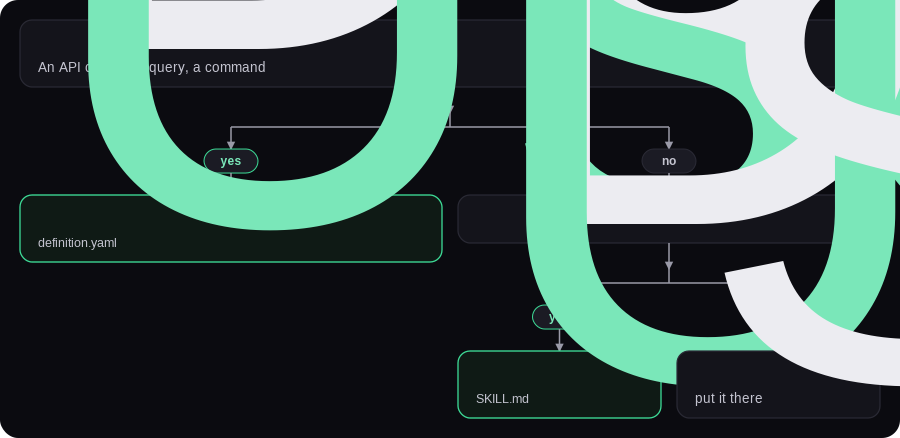
| Agent must execute an API call or shell command | No | Use a tool (YAML definition.yaml) |
| Knowledge varies per user / per session | Yes | Agent reads the right skill for the task, not a static prompt |
| You want the same guidelines reused by multiple agents | Yes | Write once in SKILL.md, any agent can discover and load it |
| Knowledge is static and always relevant to every request | No | Put it in the system prompt instead |
| You need structured, versioned, sharable agent expertise | Yes | Skills are files, version-controlled, composable, shareable |
Real-World Use Cases
Section titled “Real-World Use Cases”Use Case 1, Slack messaging agent
Without skills: System prompt contains 500 lines of Slack API guidelines (always in context, always costs tokens).
With skills: Agent calls matimo_get_skill("slack") only when it needs to send a message, loads 500 lines on demand and discards them after.
Use Case 2, Multi-provider agent (Slack + GitHub + Postgres)
Agent serves many domains. At startup, list all skills (Level 1, ~50 tokens each). When the user asks about GitHub, agent reads only the github skill (Level 2). When user switches to Postgres, agent reads postgres. Total context = only the active skill, not all three simultaneously.
Use Case 3, Code review assistant
Agent creates a code-review skill at runtime (via matimo_create_skill) containing your team’s specific checklist. Every code review session starts by reading that skill. Update the SKILL.md to immediately change agent behavior, no redeployment.
Use Case 4, Compliance-aware agent
A security team packages OWASP Top 10 rules as a security-checklist skill. Any agent in the org can discover and apply it. When rules update, update one file.
Use Case 5, Dynamic skill selection based on task
Agent receives a broad request: “Help me with infrastructure”. It calls matimo_list_skills, sees postgres and tool-creation skills, picks the relevant one based on context, and loads only that, the LLM never sees the others.
Benefits vs Alternatives
Section titled “Benefits vs Alternatives”| Approach | Context Cost | Reusability | Updateable at Runtime | Discoverable by Agent |
|---|---|---|---|---|
| Static system prompt | Always full cost | No | Needs redeploy | No |
| RAG / vector search | High infra cost | Partial | Yes | No |
| Matimo Skills | Only when used | Yes | (edit SKILL.md) | Yes |
Overview
Section titled “Overview”A skill is a structured knowledge file (SKILL.md) that teaches an agent how to do something, guidelines, patterns, checklists, and rules written in Markdown. Skills are distinct from tools: tools execute actions, skills provide context and guidance.
Matimo supports the Agent Skills specification (agentskills.io) for SKILL.md formatting and validation.
Key idea: Skills encode domain knowledge once. Agents can list, read, and apply skills at runtime, without re-reading long system prompts.
Skill vs Tool Decision Flowchart
Section titled “Skill vs Tool Decision Flowchart”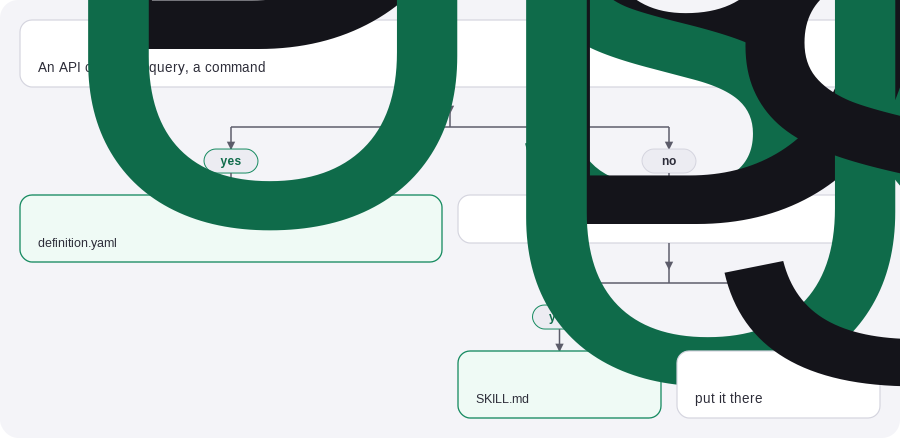
Skills vs Tools
Section titled “Skills vs Tools”| Skill | Tool | |
|---|---|---|
| File | SKILL.md |
definition.yaml |
| Purpose | Teach agent guidelines | Execute an action |
| Content | Markdown prose + examples | YAML execution spec |
| Runtime effect | Agent reads and applies | Agent calls → side effect |
| Policy gated? | No | Yes |
| Approval required? | Create: yes (meta-tool) | Create + approve: yes |
| SDK location | packages/core/skills/ |
packages/{provider}/tools/ |
| Agent location | ./matimo-tools/skills/ |
./matimo-tools/ |
SKILL.md Format
Section titled “SKILL.md Format”Every skill is a Markdown file with YAML frontmatter at the top, stored as:
{skills_dir}/ {skill-name}/ SKILL.mdFrontmatter Fields
Section titled “Frontmatter Fields”The Agent Skills spec defines the following valid top-level frontmatter fields:
| Field | Required | Description |
|---|---|---|
name |
Yes | Skill identifier (lowercase, hyphens, ≤64 chars) |
description |
Yes | One or two sentences describing what the skill teaches |
license |
No | SPDX identifier (e.g., MIT, Apache-2.0) |
compatibility |
No | Compatible agent frameworks or versions |
metadata |
No | Arbitrary key-value object for non-spec fields |
allowed-tools |
No | List of tool names the skill may reference or invoke |
Spec-Compliant Frontmatter
Section titled “Spec-Compliant Frontmatter”Only six keys are valid at the top level. Custom fields (
category,difficulty,applyTo,user-invokable) must go undermetadata:, placing them at top level violates the spec and will failmatimo_validate_skill.
---name: code-reviewdescription: Guidelines for systematic code review focusing on correctness, security, and maintainability.license: MITmetadata: category: "Engineering" difficulty: "intermediate" apply-to: "review, pull-request"---Wrong, non-spec fields at top level:
---name: code-reviewdescription: ...category: Engineering # not a spec fielddifficulty: intermediate # not a spec field---Progressive Disclosure Levels
Section titled “Progressive Disclosure Levels”The spec defines three levels of detail an agent loads:
| Level | Operation | What agent gets |
|---|---|---|
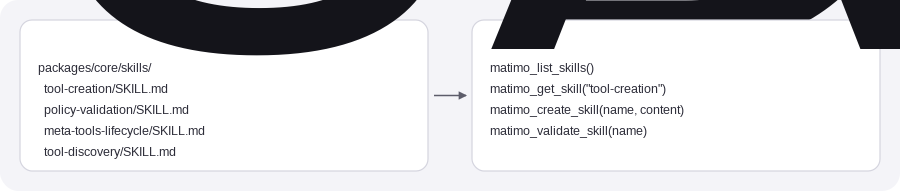
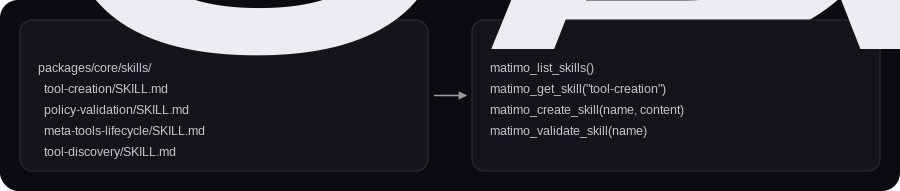
| 1 | matimo_list_skills |
Name + description only |
| 2 | matimo_get_skill |
Full SKILL.md content |
| 3 | Resources (scripts, assets) | Additional files alongside SKILL.md |
Agents should use Level 1 first to survey available skills, then Level 2 to load the one they need, minimising context window usage.
Minimal Valid Example
Section titled “Minimal Valid Example”---name: api-error-handlingdescription: Patterns for handling API errors gracefully in TypeScript services.---
# API Error Handling
## When to Apply
Apply when writing HTTP client code that calls external APIs.
## Required Patterns
- Always check `response.ok` before parsing the body- Log the status code and URL on failure (never the response body if it may contain secrets)- Use `MatimoError` with appropriate `ErrorCode` for structured errors- Retry only on `429` and `5xx`, never on `4xx`
## Example
```typescriptconst response = await fetch(url);if (!response.ok) { throw new MatimoError( `API request failed: ${response.status}`, ErrorCode.EXECUTION_FAILED, { statusCode: response.status, url } );}```Provider Skills (One Per Provider)
Section titled “Provider Skills (One Per Provider)”Every Matimo provider package ships one consolidated skill containing domain knowledge for all of that provider’s tools. This keeps the skill registry compact and gives agents a single entry point per provider.
| Provider | Skill Name | Path | Covers |
|---|---|---|---|
| Slack | slack |
packages/slack/skills/slack/SKILL.md |
16 tools, channels, messages, reactions, threads, DMs, pins, bookmarks, reminders |
| GitHub | github |
packages/github/skills/github/SKILL.md |
Issues, PRs, code search, repositories |
| Gmail | gmail |
packages/gmail/skills/gmail/SKILL.md |
Email sending, inbox management, drafts, threads |
| HubSpot | hubspot |
packages/hubspot/skills/hubspot/SKILL.md |
Contacts, companies, deals, CRM entities |
| Mailchimp | mailchimp |
packages/mailchimp/skills/mailchimp/SKILL.md |
Audiences, subscribers, campaigns |
| Notion | notion |
packages/notion/skills/notion/SKILL.md |
Pages, databases, blocks, search |
| Postgres | postgres |
packages/postgres/skills/postgres/SKILL.md |
Parameterized queries, schema discovery, write operations |
| Twilio | twilio |
packages/twilio/skills/twilio/SKILL.md |
SMS/MMS sending, message tracking, E.164 formatting |
| Microsoft | microsoft |
packages/microsoft/skills/microsoft/SKILL.md |
9 Graph API tools, search, OneDrive/SharePoint files, Outlook mail, Teams messaging, calendar, SharePoint publishing |
| Composio | composio |
packages/composio/skills/composio/SKILL.md |
composio_* tools, how they route through Composio’s 250+ third-party integrations, what risk levels mean for approval, handling missing connected accounts |
Why one skill per provider?
- Agents load one skill to get comprehensive knowledge for all tools in that provider
- Reduces registry noise, 10 skills instead of dozens of individual tool skills
- Content chunking lets agents load only the sections they need (see below)
Built-in SDK Skills
Section titled “Built-in SDK Skills”Matimo ships six SDK-level skills in packages/core/skills/. These are designed for agents and VS Code Copilot, not end-user runtimes.
| Skill | Path | Purpose |
|---|---|---|
tool-creation |
packages/core/skills/tool-creation/SKILL.md |
How to write correct YAML tool definitions, includes policy warnings, auth patterns, required fields |
policy-validation |
packages/core/skills/policy-validation/SKILL.md |
Security rules, blocked patterns (command/function types, SSRF), default policy values |
meta-tools-lifecycle |
packages/core/skills/meta-tools-lifecycle/SKILL.md |
The complete create → validate → approve → reload lifecycle using meta-tools |
tool-discovery |
packages/core/skills/tool-discovery/SKILL.md |
Tool listing, risk levels, status states, how to query the registry |
skill-creator |
packages/core/skills/skill-creator/SKILL.md |
How to create SKILL.md files following the Agent Skills spec |
skills-catalog |
packages/core/skills/skills-catalog/SKILL.md |
Catalog of all available skills and their purposes |
Key Guidance in tool-creation Skill
Section titled “Key Guidance in tool-creation Skill”- Never use placeholder API keys (
YOUR_API_KEY,replace_me), use{VAR_NAME}templating commandandfunctiontypes are blocked by default (allowCommandTools: false,allowFunctionTools: false), always usetype: httpunless policy explicitly allows otherwise- Agent-created tools always get
requires_approval: trueandstatus: draft:matimo_create_toolsets both, whatever the YAML says - Query-param API keys need
query_params: { key: '{VAR_NAME}' }+authentication: { type: api_key, location: query }
Content Chunking & Smart Context
Section titled “Content Chunking & Smart Context”Skills can be large (200+ lines). Dumping an entire SKILL.md into the LLM context wastes tokens. Matimo’s content parser splits skills into sections automatically, and agents can load only what they need.
getSkillContent(): Selective Loading
Section titled “getSkillContent(): Selective Loading”Load specific sections of a skill by heading name:
// Load only "Error Handling" and "Parameterized Queries" sectionsconst content = matimo.getSkillContent('postgres', {  sections: ['Error Handling', 'Parameterized Queries'],  maxTokens: 500,});// Returns concatenated content from those sections only
// Load everything (equivalent to getSkill().content)const full = matimo.getSkillContent('postgres');SkillContentOptions:
interface SkillContentOptions { /** Load only these section headings (case-insensitive substring match) */ sections?: string[]; /** Truncate output to approximately this many tokens (1 token ≈ 4 chars) */ maxTokens?: number;}getSkillSections(): Section Inventory
Section titled “getSkillSections(): Section Inventory”Before loading content, agents can inventory a skill’s sections to decide what’s relevant:
const sections = matimo.getSkillSections('slack');// Returns:// [// { path: 'Channel Operations', level: 2, tokenEstimate: 120 },// { path: 'Messaging', level: 2, tokenEstimate: 200 },// { path: 'Messaging > Thread Replies', level: 3, tokenEstimate: 80 },// { path: 'Reactions & Pins', level: 2, tokenEstimate: 90 },// ...// ]This enables a two-step agent workflow:
getSkillSections('slack'): see what’s available and token costsgetSkillContent('slack', { sections: ['Messaging'] }): load only what’s needed
Both are also agent-callable via the matimo_get_skill_sections and matimo_get_skill_content meta-tools, see Searching and Loading Skills Selectively.
Skill Search (TF-IDF)
Section titled “Skill Search (TF-IDF)”Matimo provides embedding-based search across all registered skills, so agents can find relevant knowledge by meaning rather than exact keywords.
Built-in TF-IDF (Term Frequency - Inverse Document Frequency) Search
Section titled “Built-in TF-IDF (Term Frequency - Inverse Document Frequency) Search”The default provider uses zero-dependency TF-IDF embeddings with cosine similarity:
// Find skills related to a natural language queryconst results = await matimo.semanticSearchSkills('How do I handle Postgres locking?');// Returns:// [//   { skill: { name: 'postgres', description: '...' }, score: 0.82 },//   { skill: { name: 'policy-validation', description: '...' }, score: 0.31 },// ]
// With optionsconst results = await matimo.semanticSearchSkills('rate limiting and retries', {  limit: 3,        // Max results (default: 5)  minScore: 0.3,   // Minimum relevance threshold (default: 0.1)});
Embeddings are cached per skill, the first search builds the index, subsequent searches are fast.
Agent availability:
semanticSearchSkillsis also exposed as the agent-callablematimo_search_skillsmeta-tool, so LangChain agents and MCP clients (Claude) can run TF-IDF (or custom-embedding) search directly from their tool loop, not just via the SDK. See Searching and Loading Skills Selectively.
Custom Embedding Provider
Section titled “Custom Embedding Provider”Replace the built-in TF-IDF with OpenAI, Cohere, or any other embedding model:
import type { EmbeddingProvider } from 'matimo';
class OpenAIEmbeddingProvider implements EmbeddingProvider {  async embed(texts: string[]): Promise<number[][]> {    const response = await openai.embeddings.create({      model: 'text-embedding-3-small',      input: texts,    });    return response.data.map(d => d.embedding);  }}
matimo.setSkillEmbeddingProvider(new OpenAIEmbeddingProvider());
// Now semantic search uses OpenAI embeddingsconst results = await matimo.semanticSearchSkills('How do I send a Slack message?');
Agent Skill Lifecycle
Section titled “Agent Skill Lifecycle”Creating a Skill
Section titled “Creating a Skill”// Agent creates a skill at runtimeconst result = await matimo.execute('matimo_create_skill', { name: 'data-validation', content: `---name: data-validationdescription: Patterns for validating user input and external API responses with Zod.---
# Data Validation Guidelines
Always use Zod for runtime validation. Never trust user input without Zod parsing.`, target_dir: './agent-skills', // optional, defaults to ./matimo-tools/skills});// result.success → true// result.path → './agent-skills/data-validation/SKILL.md'Requires human approval, matimo_create_skill has requires_approval: true.
Listing Skills
Section titled “Listing Skills”// Discover available skills (Level 1: name + description only)const result = await matimo.execute('matimo_list_skills', { skills_dir: './agent-skills', // optional, defaults to ./matimo-tools/skills});// result.skills → [{ name, description, path }, ...]// result.total → numberReading a Skill
Section titled “Reading a Skill”// Load full content (Level 2)const result = await matimo.execute('matimo_get_skill', { name: 'data-validation', skills_dir: './agent-skills',});
if (result.success) { // result.content → full SKILL.md text the agent can apply // result.description → frontmatter description}Validating a Skill
Section titled “Validating a Skill”// Check spec complianceconst result = await matimo.execute('matimo_validate_skill', { name: 'data-validation', skills_dir: './agent-skills',});
if (result.valid) { // Spec-compliant} else { // result.issues → [{ level: 'error' | 'warning', message }]}Validation checks:
SKILL.mdexists in{skills_dir}/{name}/- Frontmatter is parseable YAML
namefield present and matches directory namedescriptionfield present- Name follows spec rules (lowercase, hyphens, 1–64 chars, no leading/trailing hyphens)
Searching and Loading Skills Selectively
Section titled “Searching and Loading Skills Selectively”Three meta-tools wrap the programmatic semanticSearchSkills(), getSkillSections(), and getSkillContent() SDK APIs as agent-callable tools, so LangChain agents and MCP clients (Claude) can search and selectively load skills from their tool loop, not just from SDK code:
// Rank skills by meaning instead of exact name/keyword matchconst search = await matimo.execute('matimo_search_skills', {  query: 'rate limiting and retries',  limit: 5,        // optional, default 10  min_score: 0.1,  // optional, default 0.1});// search.results → [{ name, description, relevanceScore }, ...]
// Inventory a skill's sections and token costs before loading anythingconst sections = await matimo.execute('matimo_get_skill_sections', { name: 'slack' });// sections.sections → [{ path, level, tokenEstimate }, ...]
// Load only the sections that matter, once you know which ones doconst content = await matimo.execute('matimo_get_skill_content', {  name: 'slack',  sections: ['Messaging'],   // optional, omit to return the whole body  max_tokens: 500,           // optional});// content.content → targeted section content// content.tokensUsed → approximate token count of what was returned
This gives agents a search → inventory → load workflow that costs far less context than matimo_get_skill alone:
matimo_list_skills()              // → all skill names + descriptionsmatimo_get_skill('slack')         // → full content
matimo_search_skills('rate limiting and retries')  // → ranked results with scoresmatimo_get_skill_sections('slack')                 // → section inventory with token estimatesmatimo_get_skill_content('slack', { sections: ['Messaging'] })  // → targeted section content
For LangChain agents outside the meta-tool loop, the SDK-level buildRelevantSkillPrompt() helper remains the simplest option, it runs TF-IDF search and injects the top-K skill content into your system prompt before the agent loop even starts. See LangChain Agent with Skills for that pattern.
Pluggable Skill Storage: Bring Your Own Backend
Section titled “Pluggable Skill Storage: Bring Your Own Backend”Matimo OSS doesn’t own skill storage, the same way it doesn’t ship a database for Tools. A host platform (Matimo Workbench or your own) decides where skills actually live; Matimo OSS only needs two things from you: a location to read from, and a direct way to push content in.
| Your skills live in… | Use |
|---|---|
| A filesystem, local disk, NFS/EFS/SMB, a synced git checkout, a FUSE-mounted bucket | skillPaths (init-time) or matimo.addSkillPath(path) (runtime), then matimo.reloadSkills() |
| Anything else, Postgres, MongoDB, S3’s API, an internal service | matimo.registerSkill(skill) / matimo.registerSkills(skills) |
addSkillPath() only adds a directory to the list Matimo will scan, call reloadSkills() afterward to actually read its SKILL.md files. registerSkill()/registerSkills() take effect immediately with no filesystem round-trip; they accept plain SkillDefinition objects ({ name, description, body, ... }) fetched however you like.
Recipe: loading skills from S3
Section titled “Recipe: loading skills from S3”import { MatimoInstance } from 'matimo';import { S3Client, ListObjectsV2Command, GetObjectCommand } from '@aws-sdk/client-s3';
const s3 = new S3Client({});const matimo = await MatimoInstance.init({ autoDiscover: true });
const { Contents } = await s3.send( new ListObjectsV2Command({ Bucket: 'my-skills', Prefix: 'skills/' }));const skills = await Promise.all( (Contents ?? []) .filter((o) => o.Key?.endsWith('SKILL.md')) .map(async (o) => { const obj = await s3.send(new GetObjectCommand({ Bucket: 'my-skills', Key: o.Key! })); const body = await obj.Body!.transformToString(); const name = o.Key!.split('/').at(-2)!; // skills/{name}/SKILL.md const description = /^description:\s*(.+)$/m.exec(body)?.[1] ?? ''; return { name, description, body }; }));
matimo.registerSkills(skills);Recipe: loading skills from Postgres
Section titled “Recipe: loading skills from Postgres”import { MatimoInstance } from 'matimo';import { Pool } from 'pg';
const pool = new Pool();const matimo = await MatimoInstance.init({ autoDiscover: true });
const { rows } = await pool.query( 'SELECT name, description, body FROM tenant_skills WHERE tenant_id = $1', [tenantId]);matimo.registerSkills(rows.map((r) => ({ name: r.name, description: r.description, body: r.body })));Matimo OSS ships no S3 or Postgres client in either recipe, bring whatever library you already use. registerSkills() has no opinion on where the rows came from.
Observing agent-created skills
Section titled “Observing agent-created skills”When an agent calls matimo_create_skill, Matimo emits a skill:created event through the same onEvent handler used for tool/policy events, so a host can mirror an agent-created skill into its own storage the moment it happens instead of polling the filesystem:
const matimo = await MatimoInstance.init({ autoDiscover: true, onEvent: (event) => { if (event.type === 'skill:created') { // event.skillName, event.source ('user' | 'catalog'), event.timestamp // e.g. read the file matimo_create_skill just wrote and push it into your DB } },});Configuring where agent-created skills get written
Section titled “Configuring where agent-created skills get written”By default, matimo_create_skill writes to ./matimo-tools/skills unless the caller passes target_dir explicitly. Set defaultSkillWriteDir once at startup instead of relying on every agent call to pass target_dir correctly:
const matimo = await MatimoInstance.init({ autoDiscover: true, defaultSkillWriteDir: '/var/matimo/tenant-42/skills',});Python: the same API exists under snake_case, matimo.add_skill_path(path), await matimo.reload_skills(), matimo.register_skill(skill) / register_skills(skills), Matimo.init(default_skill_write_dir=...), and an on_event handler that receives a {"type": "skill:created", "skill_name": ..., "source": ..., "timestamp": ...} dict.
MCP Server: Skills as Resources
Section titled “MCP Server: Skills as Resources”When the Matimo MCP server is running, every registered skill is automatically exposed as an MCP Resource under the skills:// URI scheme. MCP clients (Claude Desktop, Cursor, Windsurf, any MCP-compliant client) can read skill content without calling a tool, they use the Resources protocol directly.
Resource URIs
Section titled “Resource URIs”Each skill gets a resource at:
skills://{skill-name}| Skill | URI | MIME type |
|---|---|---|
slack |
skills://slack |
text/markdown |
github |
skills://github |
text/markdown |
tool-creation |
skills://tool-creation |
text/markdown |
code-review (agent-created) |
skills://code-review |
text/markdown |
All skills registered in Matimo, built-in SDK skills, provider skills, and agent-created skills, are exposed automatically. No configuration required.
How Claude accesses skills
Section titled “How Claude accesses skills”With the MCP server running (npx matimo mcp), Claude has two complementary ways to access skills:
Via Resources (passive read):
Claude can browse and read skills:// resources without invoking a tool. The content is the full SKILL.md text. This is equivalent to Level 2 in the progressive disclosure model, full content on demand.
Via Meta-Tools (agent-driven discovery): Claude can also use the skill meta-tools to actively discover and interact with skills:
matimo_list_skills→ Level 1 metadata (names + descriptions)matimo_get_skill→ Level 2 full content (same as reading the resource)matimo_create_skill→ create a new skill (writes to disk + registers new resource)matimo_validate_skill→ check spec compliance
The practical difference: reading a skills:// resource is a direct read by the MCP client; calling matimo_get_skill is an agent tool call that goes through Matimo’s execution layer.
Hot-reload
Section titled “Hot-reload”When matimo.reloadTools() is called (e.g. after matimo_create_skill writes a new skill to disk), the MCP server:
- Removes stale skill resource registrations
- Re-registers all current skills from
matimo.listSkills() - Calls
sendResourceListChanged(), MCP clients receive an automatic notification and refresh their resource list
Agents and clients never need to reconnect to see newly created skills.
Starting the MCP server
Section titled “Starting the MCP server”# Expose all tools + skills over stdio (for Claude Desktop, Cursor, Windsurf)npx matimo mcp
# Or HTTP mode (remote / Docker)npx matimo mcp --transport http --port 3000After connecting, Claude sees:
- All tools in the standard MCP
tools/list - All skills as resources in
resources/listunderskills://*
See MCP documentation for the full server setup guide.
LangChain Agent with Skills
Section titled “LangChain Agent with Skills”Skills are pull-based, they’re not auto-injected into LLM context. Instead, agents discover and load skills at runtime using meta-tools. Here’s a complete LangChain agent that uses skills as context:
import { MatimoInstance, convertToolsToLangChain } from 'matimo';import { ChatOpenAI } from '@langchain/openai';import { HumanMessage, SystemMessage, ToolMessage } from '@langchain/core/messages';import type { ToolDefinition } from 'matimo';
// Initialize Matimo with skills auto-loaded from providersconst matimo = await MatimoInstance.init({ autoDiscover: true });
// Convert tools to LangChain format (includes skill meta-tools)const tools = matimo.listTools();const langchainTools = await convertToolsToLangChain(tools as ToolDefinition[], matimo);
const llm = new ChatOpenAI({ model: 'gpt-4o-mini', temperature: 0 });const llmWithTools = llm.bindTools(langchainTools);
// The agent can now autonomously:// 1. matimo_list_skills(), discover available skills// 2. matimo_get_skill('slack'), load the Slack skill for context// 3. Use skill knowledge to correctly call Slack tools// 4. matimo_create_skill(), create new skills from experience
const messages = [  new SystemMessage(`You have access to Matimo skills and tools.    Use matimo_list_skills to discover domain knowledge.    Use matimo_get_skill to load a skill before working in that domain.`),  new HumanMessage('Send a message to #general in Slack saying "Hello from Matimo"'),];
// Agent loop, LLM discovers skills, loads context, then actslet response = await llmWithTools.invoke(messages);while (response.tool_calls?.length) {  messages.push(response);  for (const call of response.tool_calls) {    const result = await matimo.execute(call.name, call.args);    messages.push(new ToolMessage({      tool_call_id: call.id || '',      content: JSON.stringify(result),      name: call.name,    }));  }  response = await llmWithTools.invoke(messages);}console.log(response.content);
The agent workflow:
- LLM calls
matimo_list_skills→ gets names/descriptions of all 10 native provider skills + 6 core skills - LLM calls
matimo_get_skill('slack')→ loads full Slack domain knowledge (channels, messages, threads, etc.) - LLM now has context to correctly call
slack_send_channel_messagewith the right parameters - No skill content is wasted on providers the agent doesn’t need
Non-MCP usage, programmatic progressive disclosure:
When running LangChain without an MCP server, use the two helper functions to implement the same progressive disclosure pattern in code:
import {  MatimoInstance,  getSkillsMetadata,  buildRelevantSkillPrompt,} from 'matimo';import { HumanMessage, SystemMessage } from '@langchain/core/messages';
// Level 1, once at startup (token-safe, names + descriptions only)const meta = getSkillsMetadata(matimo);const metaBlock = meta.map((s) => `- **${s.name}**: ${s.description}`).join('\n');
// Level 2, per request via TF-IDF keyword-relevance search (loads only relevant skills)const userMessage = 'How do I handle rate limits in Slack?';const skillContext = await buildRelevantSkillPrompt(matimo, userMessage, {  topK: 2,       // load at most 2 skills  minScore: 0.3, // ignore skills below this relevance});
const messages = [  new SystemMessage(`You are a helpful agent.\n\nAvailable skills:\n${metaBlock}`),  ...(skillContext ? [new SystemMessage(skillContext)] : []),  new HumanMessage(userMessage),];
getSkillsMetadata returns Array<{ name, description }>, no file I/O, always cheap.
buildRelevantSkillPrompt runs TF-IDF cosine similarity ranking and loads full content only for top-K matches above minScore. Returns an empty string when no skills are relevant, so it’s safe to spread into the messages array unconditionally.
Standalone function vs. instance method, same result, two call styles:
buildRelevantSkillPrompt(matimo, query, options) is a free function that takes a MatimoInstance as its first argument. If you already hold that instance and would rather call a method on it than import a helper, matimo.buildSkillPromptContext(query, options) does exactly the same thing:
// Standalone function, import buildRelevantSkillPrompt from 'matimo'const skillContext = await buildRelevantSkillPrompt(matimo, userMessage, { topK: 2 });
// Instance method, nothing extra to importconst skillContext = await matimo.buildSkillPromptContext(userMessage, { topK: 2 });
Both call SkillRegistry.semanticSearch() under the hood and produce byte-identical output for the same inputs, pick whichever reads better at the call site. This is the ergonomic gap Workbench’s own SkillsService hit (it guessed at matimo.buildRelevantSkillPrompt(...) as an instance method before this existed), see Pluggable Skill Storage below for the general “host platform, own storage” story this API is part of.
See the LangChain integration guide for the full API reference and examples.
CrewAI Agent with Skills
Section titled “CrewAI Agent with Skills”CrewAI has no MCP client, so skills reach a CrewAI agent the same way they reach a non-MCP LangChain agent: get_skills_metadata() and build_relevant_skill_prompt(), mirrored 1:1 in matimo.integrations.crewai (Python only; CrewAI has no TypeScript SDK), inject skill context directly into an Agent’s backstory or a Task’s description instead of a system prompt. Here’s a complete CrewAI agent that uses skills as context:
from crewai import Agent, Crew, Process, Taskfrom matimo import Matimofrom matimo.integrations.crewai import (    build_relevant_skill_prompt,    convert_tools_to_crewai,)
# Initialize Matimo with skills auto-loaded from providersmatimo = await Matimo.init(auto_discover=True)
# Level 2: inject the skill(s) relevant to this agent's job into its backstorytask_description = "Send a message to #general in Slack saying 'Hello from Matimo'"skill_context = await build_relevant_skill_prompt(matimo, task_description, top_k=2)
# Convert tools to CrewAI format (includes skill meta-tools)tools = [t for t in matimo.list_tools() if t.name.startswith("slack") or "skill" in t.name]crewai_tools = convert_tools_to_crewai(tools, matimo)
agent = Agent(    role="Slack Assistant",    goal="Send accurate, well-formed Slack messages.",    backstory=f"You are a Slack operations assistant.\n\n{skill_context}",    llm="gpt-4o-mini",    tools=crewai_tools,)
task = Task(    description=task_description,    agent=agent,    expected_output="Confirmation the message was sent.",)
crew = Crew(agents=[agent], tasks=[task], process=Process.sequential)result = crew.kickoff()
The agent workflow:
build_relevant_skill_prompt()runs TF-IDF semantic search over all loaded skills before the crew starts, and injects the top-K matches straight into the agent’sbackstory, CrewAI agents don’t see a system prompt the way a LangChain ReAct loop does, so injection happens once, up front, rather than per-turn.- The agent now has the Slack domain knowledge (channels, messages, threads, etc.) needed to correctly call
slack_send_channel_message. - The agent can still call
matimo_search_skills/matimo_get_skill_sections/matimo_get_skill_contentmid-task (if bound viaconvert_tools_to_crewai()) to look up other skills the backstory injection didn’t cover, the two approaches are complementary, not exclusive.
get_skills_metadata returns list[{"name": ..., "description": ...}], no file I/O, always cheap; use it to list every available skill in a Task description without loading full content.
build_relevant_skill_prompt runs TF-IDF cosine similarity ranking and loads full content only for top-K matches above min_score. Returns an empty string when no skills are relevant, so it’s safe to concatenate into a backstory unconditionally.
See python/examples/crewai/skills/skills_crewai.py for a full runnable example that combines backstory injection with the 3 skill meta-tools bound as CrewAI tools.
Like the LangChain section above, matimo.integrations.crewai.build_relevant_skill_prompt(matimo, task_description, top_k=2) also has an instance-method equivalent: await matimo.build_skill_prompt_context(task_description, top_k=2). The instance method always calls through matimo.integrations.langchain’s implementation (not the CrewAI one), matimo.integrations.crewai’s version is a byte-for-byte duplicate kept dependency-free of langchain-core, not a re-export, but the two produce identical output for identical inputs, so either call style works from a CrewAI agent.
Storage Paths
Section titled “Storage Paths”| Context | Default path |
|---|---|
| Agent-created skills | ./matimo-tools/skills/{name}/SKILL.md |
| SDK built-in skills | packages/core/skills/{name}/SKILL.md |
Custom (via target_dir) |
{target_dir}/{name}/SKILL.md |
Skills created by agents are permanent, they are written to
target_diron disk, not to a temp location. They survive restarts and can be read back viamatimo_get_skill.
Name Rules
Section titled “Name Rules”Skill names follow the Agent Skills spec:
| Rule | Valid | Invalid |
|---|---|---|
| Lowercase letters and numbers | api-errors |
API-Errors |
| Hyphens as separators | code-review |
code_review (underscores) |
| 1–64 characters | my-skill |
(empty or >64 chars) |
| No leading/trailing hyphens | tool-usage |
-tool-usage |
| No consecutive hyphens | my-skill |
my--skill |
Examples Demo
Section titled “Examples Demo”Run the skills demo to see a real LangChain agent create, read, apply, and validate skills. Available in both TypeScript and Python:
TypeScript:
cd typescript/examples/toolspnpm skills:demoPython:
cd python/make skills-demo# or directly:cd python/examples/native && uv run -w ../.. python skills/skills_demo.pyWhat it demonstrates:
Phase 2 / Missions, Agent missions (goal-driven, no tool names given):
- Agent creates a
code-reviewskill (human approves) - Agent lists available skills (Level 1 discovery)
- Agent reads
code-reviewskill and applies its guidelines to review sample code - Agent creates a
security-checklistskill (auto-approved via whitelist) - Agent validates both skills against the Agent Skills spec
- Agent lists, reads, and applies all available skills in one pass
Phase 4, Non-MCP progressive disclosure (both SDKs):
getSkillsMetadata()/get_skills_metadata(), Level 1: names + descriptions only (no file I/O)semanticSearchSkills(query)/semantic_search_skills(query), raw TF-IDF ranked results with scores per skillbuildRelevantSkillPrompt(query)/build_relevant_skill_prompt(query), Level 2: TF-IDF search loads only relevant skill content
Note:
semanticSearchSkills/semantic_search_skillsis also agent-callable via thematimo_search_skillsmeta-tool (alongsidematimo_get_skill_sectionsandmatimo_get_skill_content), see Searching and Loading Skills Selectively. Agents are no longer limited tomatimo_list_skills+matimo_get_skillfor discovery.
Docs: